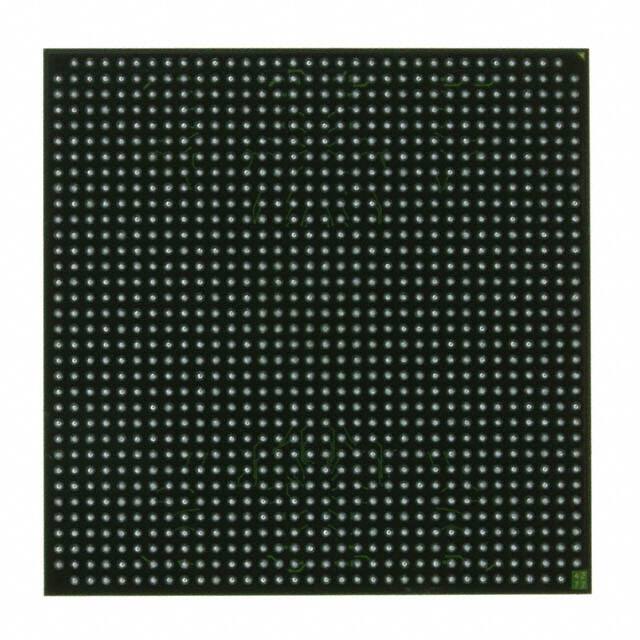
An excellent approach to learn programming and electronics is via development boards. These boards are designed to provide beginners a straightforward and affordable way to start building projects that involve microcontrollers, sensors, and other electrical components. Using development boards might be luring at first, but with the appropriate attitude, it can turn into a productive and enjoyable expertise . It is no longer simpler to learn about electronics and programming because of the expanding accessibility of these boards and the expanding quantity of internet resources and networks.

Content
The market offers a wide variety of development boards, each with unique characteristics and abilities. When selecting a development board, take into account your goals, the project you want to produce, and your degree of experience. The ESP32, Raspberry Pi, and Arduino are some of the most well-liked choices.
The open-source Arduino platform is used to create electrical projects. With Arduino, you can write and publish computer code to a real-world programmable circuit board (commonly called a microcontroller) using a piece of software called the IDE (Integrated Development Environment), which runs on your machine.
The Raspberry Pi Foundation produces a line of single-board computers under the brand name Raspberry Pi. The Raspberry Pi is a relatively affordable Linux-powered computer that also features a set of GPIO (general purpose input/output) pins that let you explore the Internet of Things (IoT) and control electrical components for physical computing.People who already know how to code use the Raspberry Pi to learn how to programme electronics for practical applications, while those who are just learning the language purchase one. With the Raspberry Pi, you can construct your own home automation projects, which is well-liked in the open source community since it gives you control over the process rather than relying on a proprietary closed system.
The Espress ESP32 line of System on a Chip (SoC) microcontrollers features a dual-core CPU, Wi-Fi, and Bluetooth connectivity, and is inexpensive and low-power. A microcontroller with a lot of recent popularity is the ESP32. It is arguable as to whether the popularity of ESP32 increased as a result of the development of IoT or as a result of ESP32's launch. Think about your objectives and the projects you intend to construct before selecting a board. A beginner-friendly board like the Arduino could be the ideal option if you're new to electronics and programming. The Raspberry Pi could be a better option if you're interested in more difficult projects or want to try out a full operating system. The ESP32 can be the best option for IoT projects if you're interested in them.
You'll need to buy the required parts to get started after choosing a development board. This might contain any sensors or modules you want to utilize with the board, a power source, and a USB cord.A USB cable may be used to power and programme the majority of development boards. Make sure the cable you have is appropriate for your board. You might require a different power source to run your board and other components, depending on your project. Make sure the power supply you select can deliver the voltage and current demands of your board. A breadboard is a useful tool for circuit prototyping. It enables rapid and simple connection of components without the need for soldering.You may require a variety of parts, including resistors, capacitors, LEDs, and sensors, depending on your project. Before beginning your project, make sure you have all the necessary components. The majority of development boards need software to be installed on your computer in order to function. This software often comes with an integrated development environment (IDE) that enables you to create code for your board and may be obtained from the producer's website. An IDE is a piece of software that offers a user interface for creating, testing, and uploading code to your development board. You might need to use a third-party IDE or one specific to a certain board.You might need to install drivers in order to connect to your board via USB, depending on your board and operating system. Libraries are collections of ready-made programmes that may be used to carry out particular tasks (such reading data from a sensor). You might need to install libraries to assist you in writing your code, depending on your project.
You may begin writing code for your project after you have your board and software configured. If you aren't already familiar with a programming language, you might need to learn one as most development boards utilize one like C, C++, or Python. Test each step and component as you construct your project. This will enable you to identify any problems early and prevent annoyance later. Any electronics project, including those made with development boards, must go through testing and debugging as part of the development process. Verifying that each element of your project is operating as planned is the process of testing. Debugging involves finding and correcting errors in your code or circuit. Take pictures, document your progress, and note any modifications you make to your plan or code. This will make it easier for you to recall your actions and repeat your project in the future. Experimenting and trying out various ideas is the greatest method to learn about development boards. As you gain experience with the board and programming, start with simpler projects and progress to more complicated ones. To study and exchange information about development boards, joining a community of like-minded developers may be quite beneficial. You may ask questions and seek assistance with your assignments in virtual spaces like forums and online groups.
Conclusion
Development boards offer an engaging and useful approach to begin learning programming and electronics. You may learn at your own speed by choosing from a variety of test tasks. Using development boards, there is always something new to learn and explore, regardless of your level of experience. There has never been a better moment to start because of the expanding acceptance and accessibility of these boards.
Reference
● ESP8266 Thing Development Board Hookup Guide - SparkFun Learn. (n.d.). SparkFun Learn. Retrieved April 23, 2023, from https://learn.sparkfun.com/tutorials/esp8266-thing-development-board-hookup-guide/all
● Garcia, M. A. (n.d.). (PDF) Introduction to Microcontrollers and Microcontroller Boards. ResearchGate. Retrieved April 23, 2023, from https://www.researchgate.net/publication/353371089_Introduction_to_Microcontrollers_and_Microcontroller_Boards
● Get started with the Dev Board. (n.d.). Coral.ai. Retrieved April 23, 2023, from https://coral.ai/docs/dev-board/get-started/#flash-the-board
● guide, s. (n.d.). What is an Arduino? - SparkFun Learn. SparkFun Learn. Retrieved April 23, 2023, from https://learn.sparkfun.com/tutorials/what-is-an-arduino/all
● Introduction to ESP32. (n.d.). Tutorialspoint. Retrieved April 23, 2023, from https://www.tutorialspoint.com/esp32_for_iot/esp32_for_iot_introduction.htm
● What is a Raspberry Pi? (n.d.). Opensource.com. Retrieved April 23, 2023, from https://opensource.com/resources/raspberry-pi
 Paul George
Richard Electronics guest author, a Mechatronics engineer and a professional researcher, designer, developer and manufacturer for 3d Cad and PCB. I believe in efficiency, effectiveness and quality of work, and my aim is to provide complete one-roof solutions to complex mechanical and electrical design systems. I have a well-equipped lab with state-of-the-art technology for doing research and providing.
06 June 2026
07 May 2026
17 April 2026
02 April 2026
02 April 2026