For decades, these two tech titans have battled for supremacy in the processor market, each offering compelling reasons to choose their silicon. But with new generations launching regularly, the landscape is constantly shifting, making an informed decision more challenging than ever. Whether you’re a hardcore gamer, a creative professional, or simply looking for the best value for your everyday computing, understanding the nuances between Intel and AMD is crucial. Did you know that in Q2 2023, AMD’s desktop CPU market share reached its highest point in over a decade, signaling a fierce competition? This guide aims to cut through the marketing jargon and provide you with a clear, data-backed analysis to help you confidently select the perfect CPU for your needs. We’ll explore everything from raw performance and gaming prowess to power efficiency and future compatibility, ensuring you have all the insights to make the right call.
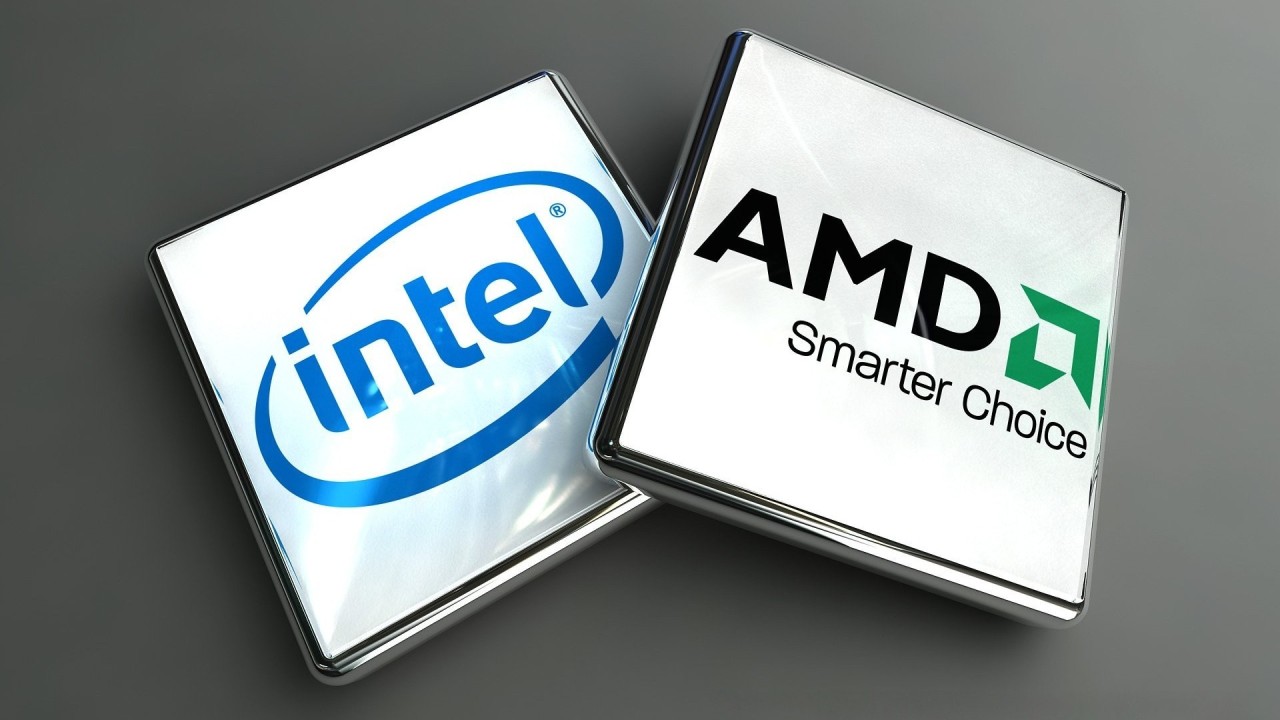
1.0 Intel CPU vs AMD CPU: Your Essential Buying Guide
Choosing between an Intel and AMD CPU can feel like navigating a labyrinth of specifications, benchmarks, and marketing claims. However, by focusing on a few key considerations, you can simplify the decision-making process and ensure you pick the processor that best aligns with your needs and budget. This section will walk you through the crucial factors to consider, helping you make an informed choice that you won’t regret.
1.1 Compatibility: Ensuring a Seamless Build
One of the most critical aspects when selecting a CPU iscompatibility with your other system components, primarily the motherboard and RAM. Intel and AMD processors use different socket types, meaning an Intel CPU will not fit into an AMD motherboard, and vice-versa. For instance, modern Intel CPUs often use LGA1700 sockets, while AMD’s latest offerings utilize AM5. This fundamental difference means your choice of CPU dictates your motherboard selection. Furthermore, memory compatibility can also vary. While both support DDR4 and the newer DDR5 RAM, specific CPU generations and motherboards might have preferred or optimized memory configurations. Always double-check the motherboard’s QVL (Qualified Vendor List) for RAM to ensure optimal performance and stability.Ignoring compatibility can lead to costly mistakes and a non-functional system.
1.2 Future Trends: What’s Next for CPUs?
Staying abreast of future trends in CPU technology can provide valuable insights for your purchase, especially if you plan to upgrade components over time. Both Intel and AMD are constantly innovating, with a focus on improving core efficiency, integrating AI acceleration, and enhancing power management. We’re seeing a push towards hybrid architectures (like Intel’s big.LITTLE design) and chiplet designs (pioneered by AMD) that promise better performance scaling and power efficiency. The move towards DDR5 RAM and PCIe 5.0 is also becoming standard, offering faster data transfer rates. Consider the longevity of the platform you’re investing in. AMD has historically maintained socket compatibility for longer across generations, potentially offering a smoother upgrade path, though Intel is also making strides in this area. Understanding these trends can help you choose a platform that won’t become obsolete too quickly, saving you money and hassle in the long run.
2.0 Performance Showdown: Intel vs AMD
When it comes to raw processing power, both Intel and AMD have made significant strides, often leapfrogging each other in various benchmarks. The “best” performer often depends on the specific workload, application, and even the generation of CPU being compared. This section delves into the nitty-gritty of performance, examining architectural differences, power consumption, and how these CPUs handle various demanding tasks.
2.1 Architectural Differences: The Core of the Battle
At the heart of every CPU lies its architecture, the fundamental design that dictates how it processes instructions. Intel has traditionally relied on a monolithic die design, though their recent generations (like Alder Lake and Raptor Lake) have introduced ahybrid architecture combining performance-cores (P-cores) and efficient-cores (E-cores). This allows for better multi-tasking and power efficiency by assigning demanding tasks to P-cores and background processes to E-cores. AMD, on the other hand, pioneered the chiplet design with its Ryzen processors. This modular approach uses multiple smaller chiplets (each containing CPU cores) connected on a single package, allowing for greater scalability, higher core counts, and often better manufacturing yields.These distinct architectural philosophies lead to different strengths and weaknesses in various computing scenarios. For instance, Intel’s P-cores often boast superior single-core performance, while AMD’s chiplet design frequently offers higher multi-core performance for its price point.
2.2 Power Consumption and Heat: Keeping Your System Cool
Power consumption and heat generation are critical factors, impacting not only your electricity bill but also the longevity and stability of your system. Historically, Intel CPUs were often perceived as more power-efficient, especially at idle, while AMD CPUs, particularly older generations, were known for higher power draw and heat output under load. However, the landscape has significantly evolved. Modern AMD Ryzen processors, built on advanced process nodes, have achieved remarkable power efficiency, often rivaling or even surpassing Intel in performance-per-watt. Intel’s latest high-performance chips, especially with their P-core designs, can draw substantial power under heavy loads, necessitating robust cooling solutions. A powerful CPU demands an equally capable cooling system to prevent thermal throttling and ensure peak performance. Always check the CPU’s Thermal Design Power (TDP) and invest in an appropriate cooler, whether it’s a high-end air cooler or an All-in-One (AIO) liquid cooler.
2.3 Productivity Applications: Which CPU Excels?
For users focused on productivity applications like Microsoft Office suites, web browsing, and general multi-tasking, both Intel and AMD offer excellent performance. However, for more demanding professional workloads, the differences become more apparent. Applications that heavily leverage multi-core performance, such as video encoding, 3D rendering, and complex data analysis, often benefit significantly from higher core and thread counts. AMD’s Ryzen processors, particularly their higher-end models, have historically offered more cores and threads for the money, making them a strong contender for these types of tasks. Intel’s recent generations, with their increased core counts and hybrid architecture, have closed this gap considerably, offering competitive performance in multi-threaded workloads. The choice here often boils down to the specific software you use and whether it’s optimized for single-core speed or multi-core parallelism.
2.4 Video Editing Performance: Smooth Workflow
Video editing is a highly CPU-intensive task that benefits immensely from both high core counts and strong single-core performance for different stages of the workflow. Encoding and rendering are typically multi-threaded operations, where CPUs with more cores and threads, like many AMD Ryzen processors, tend to shine. However, tasks like scrubbing through timelines, applying real-time effects, and previewing can also benefit from higher single-core speeds, an area where Intel has often held an edge. Modern video editing software is increasingly optimized to utilize available hardware efficiently, including integrated graphics (like Intel’s Quick Sync Video or AMD’s VCN) for faster encoding/decoding. For professionals, a balance of high core count and robust single-core performance, coupled with ample RAM and a fast SSD, is ideal. Consider the specific codecs and software you use, as optimization levels can vary.
2.5 3D Rendering Capabilities: Powering Your Creations
3D rendering is another workload where CPU power is paramount, especially for CPU-based renderers. These applications thrive on as many cores and threads as possible, making AMD Ryzen and Threadripper processors historically very strong contenders due to their high core counts. The more cores available, the faster a complex scene can be rendered. Intel’s high-end Core i9 processors and their Xeon workstation CPUs also offer formidable rendering capabilities. While GPUs are increasingly taking over rendering tasks, the CPU still plays a crucial role in scene preparation, physics simulations, and certain rendering engines. For serious 3D artists and animators, investing in a CPU with a high core/thread count will directly translate to faster project completion times.
2.6 Programming and Development: Compiling with Confidence
For programming and development, the CPU choice can impact compile times, virtual machine performance, and the responsiveness of IDEs. Developers often run multiple applications simultaneously, including compilers, debuggers, virtual environments, and code editors. This multi-tasking environment benefits from CPUs with strong multi-core performance and ample RAM. AMD Ryzen processors, with their generally higher core counts, often provide a smoother experience for compiling large codebases or running multiple virtual machines. Intel’s strong single-core performance can be beneficial for tasks that are less parallelized or for quick iterations. Ultimately, a responsive system with sufficient processing power and memory is key for an efficient development workflow.
2.7 Virtualization Performance: Running Multiple OS
Virtualization performance is crucial for users who need to run multiple operating systems simultaneously, such as developers, IT professionals, or those testing software in isolated environments. Both Intel (with VT-x) and AMD (with AMD-V) offer hardware-assisted virtualization technologies that significantly improve the performance of virtual machines. CPUs with higher core counts and ample cache generally provide a better virtualization experience, allowing for more virtual machines to run concurrently with less performance degradation. AMD’s Ryzen processors have often been favored in this regard due to their core-per-dollar advantage. Ensure your chosen CPU supports the necessary virtualization extensions for optimal performance.
2.8 Overclocking Potential: Pushing the Limits
Overclocking involves manually increasing a CPU’s clock speed beyond its factory settings to gain additional performance. This practice is popular among enthusiasts looking to squeeze every last drop of power from their hardware. Both Intel and AMD offer unlocked processors (e.g., Intel’s ‘K’ series and most AMD Ryzen CPUs) that allow for overclocking. Historically, Intel CPUs were often seen as having greater overclocking headroom, but AMD’s Ryzen processors have become highly competitive, with many chips offering significant gains through overclocking. Successful overclocking requires a compatible motherboard (with appropriate chipsets), a robust cooling solution, and a willingness to experiment. It’s important to note that overclocking voids warranties and carries risks if not done carefully.
2.9 Integrated Graphics: More Than Just Display Output
Integrated graphics (iGPUs) are built directly into the CPU and provide display output without the need for a dedicated graphics card. While not suitable for high-end gaming or professional graphics work, iGPUs have become increasingly capable. Intel’s Iris Xe Graphics, found in many of its mainstream processors, offers decent performance for casual gaming, video playback, and general desktop use. AMD’s Radeon Graphics, integrated into its Ryzen APUs (Accelerated Processing Units), are generally considered superior to Intel’s offerings for light gaming and multimedia tasks, often providing a smoother experience. For budget builds, HTPCs (Home Theater PCs), or systems where a dedicated GPU isn’t necessary, a CPU with strong integrated graphics can be a significant advantage.
3.0 Best Value: Intel CPU vs AMD CPU
When building or upgrading a PC, value for money is often a top priority. Both Intel and AMD offer a wide range of CPUs across different price points, but their strategies and offerings can vary significantly. Understanding where each brand provides the most bang for your buck is essential for making a smart investment.
3.1 Price Comparison: Getting the Most for Your Money
The price comparison between Intel and AMD CPUs is a dynamic landscape, heavily influenced by market competition, new product launches, and regional pricing. Historically, AMD has often been perceived as the value leader, offering more cores and threads at lower price points, especially in the mid-range segment. This allowed users to achieve strong multi-core performance without breaking the bank. Intel, while often commanding a premium, has typically offered superior single-core performance, which is crucial for certain applications and gaming. However, this narrative is constantly evolving. With each new generation, both companies adjust their pricing and performance to remain competitive.
When evaluating value, it’s crucial to look beyond just the CPU’s price tag. Consider the total platform cost, which includes the motherboard and potentially a CPU cooler. AMD’s strategy of maintaining socket compatibility across several generations (e.g., AM4) often means users can upgrade their CPU without needing a new motherboard, saving money in the long run. Intel, on the other hand, has historically introduced new sockets more frequently, often requiring a motherboard upgrade with each new CPU generation. Always factor in the cost of the entire platform when assessing the true value of a CPU.
Price-to-Performance Table (Illustrative Example - Prices and Performance vary by generation and market)
| Feature/Category | Intel (Example: Core i5-13600K) | AMD (Example: Ryzen 7 7700X) |
|---|---|---|
| Price (Approx.) | $300 - $350 | $300 - $350 |
| Cores/Threads | 14 Cores (6P+8E) / 20 Threads | 8 Cores / 16 Threads |
| Single-Core Perf. | Very High | High |
| Multi-Core Perf. | Very High | Very High |
| Platform Cost | Moderate (Newer motherboards) | Moderate (Newer motherboards) |
| Integrated Graphics | Intel UHD/Iris Xe | Radeon Graphics |
| Gaming Perf. | Excellent | Excellent |
| Productivity Perf. | Excellent | Excellent |
This table is a simplified representation. Actual performance and pricing can vary significantly based on specific models, sales, and regional markets. Always consult current benchmarks and pricing before making a purchase. You might find that a slightly older generation AMD CPU offers incredible value for productivity tasks, while a current-gen Intel i5 might be the sweet spot for gaming on a budget. The key is to define your priorities and then compare specific models within your budget. For a deeper dive into current pricing, consider checking reputable tech retailers like Newegg orAmazon.
4.0 Gaming Performance: Dominate the Digital Battlefield
For many PC builders, gaming performance is the ultimate benchmark. The battle between Intel and AMD for gaming supremacy has been fierce, with both companies claiming the title of “best gaming CPU” at various times. While a powerful GPU is undoubtedly the most critical component for high-resolution gaming, the CPU plays a vital role in ensuring smooth frame rates, reducing stutter, and handling the complex physics and AI calculations in modern games.
4.1 Laptops: Portable Gaming Powerhouses
In the realm of gaming laptops, the competition between Intel and AMD is just as intense as on the desktop. Intel has long been a dominant force in the mobile gaming space, with its Core i7 and i9 processors often found in high-end gaming laptops. Their strong single-core performance has traditionally given them an edge in many games. However, AMD has made significant inroads with its Ryzen mobile processors, which offer excellent multi-core performance and impressive power efficiency, leading to longer battery life during non-gaming tasks. When choosing a gaming laptop, consider the overall package, including the GPU, display, cooling system, and battery life, in addition to the CPU.
4.2 Desktops: Ultimate Gaming Rigs
For desktop gaming, the choice between Intel and AMD often comes down to the specific games you play and your budget. Historically, Intel’s superior single-core performance and higher clock speeds gave them a slight advantage in many popular titles, especially at 1080p resolution where the CPU can be a bottleneck. However, as games become more multi-threaded and resolutions increase (1440p and 4K), the importance of multi-core performance has grown. AMD’s Ryzen processors, with their high core counts and innovative technologies like 3D V-Cache, have proven to be formidable contenders, often matching or even surpassing Intel in gaming performance. For the absolute best gaming experience, a high-end CPU from either camp, paired with a top-tier GPU, will deliver exceptional results.
4.3 Security Aspects: Protecting Your Digital Life
Security is an often-overlooked but crucial aspect of CPU performance. Both Intel and AMD have implemented various hardware-level security features to protect against vulnerabilities like Spectre and Meltdown. Intel has its Software Guard Extensions (SGX) and other security technologies, while AMD has its own set of security features, including Secure Encrypted Virtualization (SEV). While both companies are committed to providing secure platforms, new vulnerabilities are discovered from time to time. It’s essential to keep your system’s BIOS and operating system updated to ensure you have the latest security patches.
4.4 Historical Development: A Journey Through Innovation
The historical development of Intel and AMD is a fascinating story of innovation, competition, and technological breakthroughs. From the early days of the x86 architecture to the current era of multi-core processors, both companies have pushed the boundaries of what’s possible. Intel’s dominance with its Pentium and Core series, followed by AMD’s resurgence with the Ryzen architecture, has created a dynamic and competitive market that benefits consumers. Understanding this history provides context for the current state of the CPU market and the ongoing rivalry between these two tech giants. For a detailed timeline of CPU history, you can refer to theWikipedia page on the history of computing hardware.
5.0 Conclusion: Making Your Final Decision
Navigating the intricate world of CPUs, especially when comparingIntel CPU vs AMD CPU, can be a daunting task. However, by now, you should have a much clearer understanding of the strengths and weaknesses of each brand across various use cases, from gaming and content creation to everyday productivity. The truth is, there’s no single “best” CPU; the optimal choice is always the one that best fits your specific needs, budget, and intended applications. Intel often excels in raw single-core performance, which can be critical for certain games and lightly threaded applications, while AMD frequently offers superior multi-core value, making it a powerhouse for tasks like video editing and 3D rendering. The market is incredibly dynamic, with both companies pushing innovation at a rapid pace, constantly introducing new architectures and features. Always prioritize your primary use case and consider the total platform cost, not just the CPU price. As technology continues to evolve, we can expect even more exciting developments, with AI integration and increased power efficiency becoming even more central. So, what are you waiting for? Take the insights from this guide, assess your requirements, and confidently make your next CPU purchase. The digital world awaits your command!
 Paul George
Richard Electronics guest author, a Mechatronics engineer and a professional researcher, designer, developer and manufacturer for 3d Cad and PCB. I believe in efficiency, effectiveness and quality of work, and my aim is to provide complete one-roof solutions to complex mechanical and electrical design systems. I have a well-equipped lab with state-of-the-art technology for doing research and providing.


04 September 2026
05 August 2026
04 July 2026

06 June 2026

07 May 2026