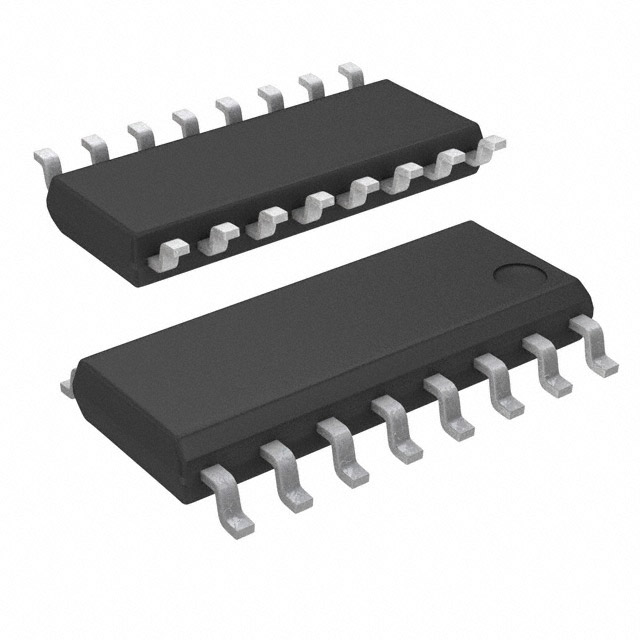
Electronics simulation software uses mathematical models to simulate the behavior of an actual electronic device or circuit. In simple words, it is a software program that turns a computer into a fully functional electronics laboratory. It is much more efficient and offers insights into the behavior and stability of electronic circuit designs to simulate a circuit's activity prior to implementing it. The following given below are the popular electronic component simulation software to perform electronic simulations.
1. Proteus
Proteus is all-in-one software that can simulate, design circuits, and create PCBs. The ISIS suite is used for designing circuits and doing real-time simulations. The ARES is used to design the PCB and has 3D viewing capabilities. It has a component library with over 15 million components and features such as differential pair routing, group
length matching, and remote front panel design for Arduino and Raspberry Pi microcontrollers, etc.
2. Autodesk Eagle
Eagle is Autodesk’s Electronic Design Automation program and stands for Easily Applicable Graphical Layout Editor. It has a schematic editor and a PCB editor and can create 16-layer PCBs with board sizes of up to 4m2. For circuit simulation, the software makes use of Ngspice, a free SPICE utility. This program is widely used by technical educationists, small electronics producers, and even the industry. The Autodesk Eagle is best suited for simple to medium-complex simulations.
3. MATLAB Simulink
MATLAB is a programming tool created primarily for engineers and scientists. It is used to analyze data, construct algorithms, and build models and applications. MATLAB and Simulink can be used in tandem to create electronic components in a simulation environment by combining textual and graphical programming. MATLAB Simulink can be used to generate input data sets for simulations and execute thousands of simulations simultaneously.
4. PSPICE
PSPICE provides a complete solution for circuit simulation and verification. It offers precise analog and mixed-signal simulations, as well as a variety of board-level models. It is a Cadence Electronic circuit analysis tool used in the simulations of analog and mixed-signal circuits in order to determine the key voltages and currents of that circuit. PSPICE and MATLAB Simulink can be used together to analyze and visualize data for multi-domain simulations of dynamic electromechanical systems.
5. NI MultiSim
The Electronics Design Automation tool NI Multisim from National Instruments is one of the most extensively used tools for modeling electronic circuits. It supports digital, analog, and power electronics circuit design and simulation, and it employs the original SPICE-based simulation software. Multisim features some of the best tools and equipment available to its competitors and the simulation results are highly accurate and comparable to real-world testing.
6. PSIM
PSIM is a specialized simulation software designed for power electronics and motor drive simulation, although it can also model most other electronic circuitry. PSIM was created by Powersim and its major simulation algorithms are trapezoidal rule integration and Nodal analysis. When compared to other SPICE-based software, PSIM delivers far faster speed and models that are rarely available in most other applications, such as Multi-level converters and models for renewable energy systems.
7. Catia
Catia is a 3D design program that is widely used by engineers of various disciplines. Catia is frequently used in the electronics industry due to its features that allow for extremely comprehensive visualization of electronic components. One of the most important elements of this design suite is the ability to create flexible 3D printed circuit boards. Catia allows the creation of complex and versatile 3D PCBs with a huge number of components. It combines 3D parametric features with 2D tools and tackles the entire design-to-manufacturing process. In addition to solid models and assemblies, CATIA may generate orthographic, section, auxiliary, isometric, or detailed 2D drawing views.
8. PSCAD
Electronic systems can be built, simulated, and modeled using PSCAD, including the simulation of electromagnetic transients. Simple passive components and control functions, as well as electric machines and other sophisticated equipment, are all represented in its library of systems modules. Applications include analysis of equipment failures, protection, and relays, distributed generating using solar and wind energy, and protection.
9. LT Spice Simulator
A popular manufacturer of analog chips, Linear Technology, offers simulation software for electronic circuits that runs on both Windows and OS X. Despite being biased towards using their parts, it is versatile and may be utilized with components from other vendors. With improved SPICE, LTspice simulates switching regulators faster than standard SPICE simulators. Over 200 transistor models, MOSFET models, and other models are available in LTspice. LTspice includes an integrated schematic editor, waveform viewer, and complex capabilities that are simple to use once you understand the basics.
10. Circuits Cloud
It is a free educational and cloud-based program that supports platforms such as Linux and PHP. This simulation software allows us to interact with both digital and analog components such as logic circuits, and flip switches, change the input data, and watch the output data change for sequential models, as well as efficiently impart knowledge about the logic circuit design process. Eng. Shaffee Mayoof designed and produced Circuits Cloud for instructional purposes. It was initially developed as an online digital circuits simulator but was later updated to support analog circuits simulation.
11. KiCAD
Jean-Pierre Charras, the original author of KiCad, initially released it in 1992. Since then, it has been in continuous development and is now maintained by the KiCad Development Team. KiCAD is a free program with some added benefits. By altering the source code, we can customize the software to our desire. It includes a 3D viewer for visualizing PCBs. It runs simulations with the free SPICE tool 'ngspice'. It is ideal for creating PCB layouts because it has no restrictions on board size, pin count, or layer count.
 Ling Tianhao
Ling Tianhao, with 20 years in R&D, has developed his skills at one of America's top ten chip manufacturers.His expertise goes beyond chip design and quality control, showing a strong understanding of PCB technology. His comprehensive knowledge of microchip and PCB technologies establishes him as a versatile professional in the semiconductor industry, driving advancements and solving complex problems.


04 September 2026

05 August 2026

04 July 2026

06 June 2026

07 May 2026