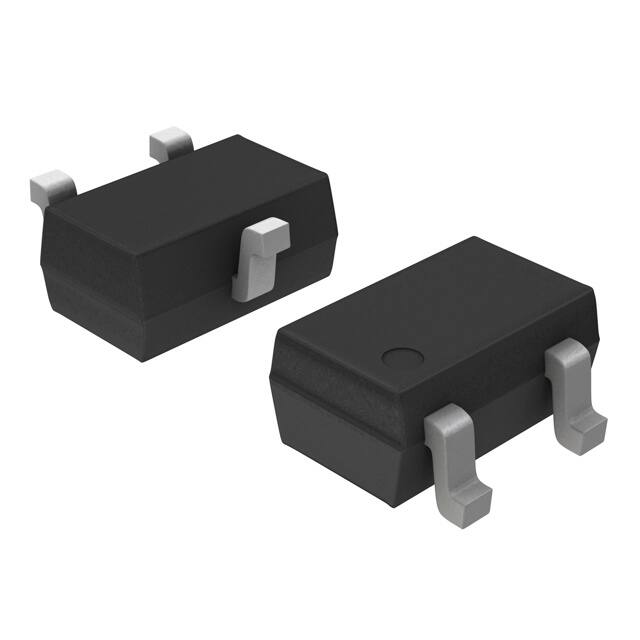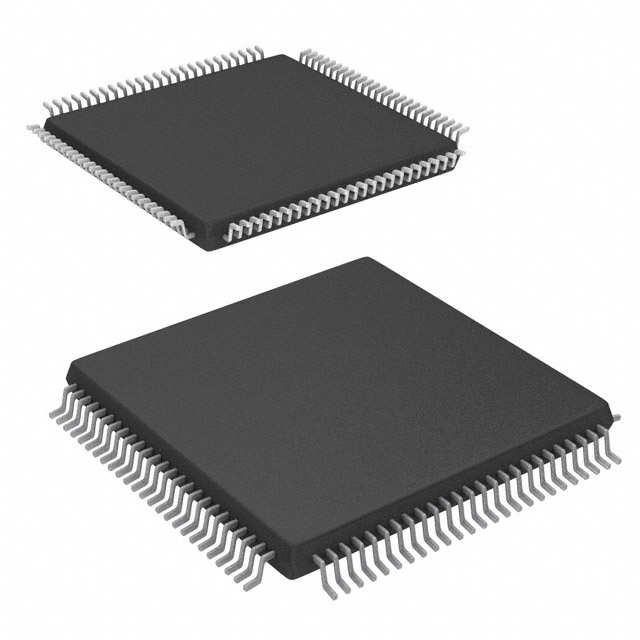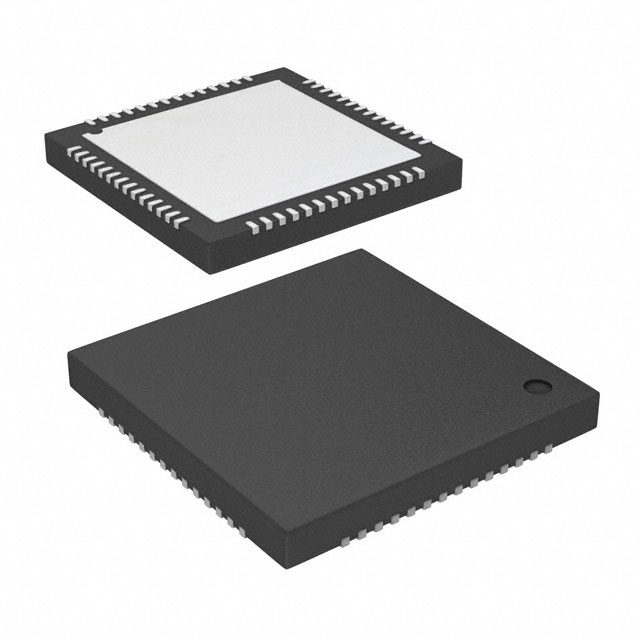
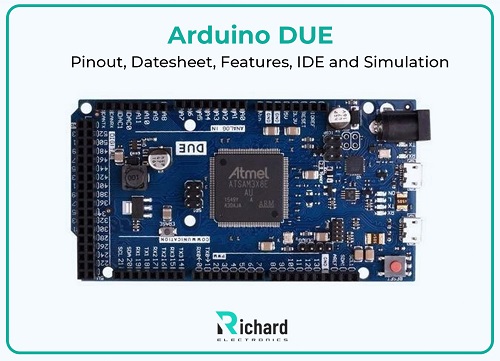
Arduino DUE was the first Arduino board that comprised a 38-bit ARM microprocessor, the SAM3X8E ARM Cortex-M3. It requires 84 MHz to operate the processor while typical other boards like an 8-bit ATmega328p processor run at 16 MHz. This feature makes it faster than the other boards from the Arduino family. Arduino DUE handles sophisticated projects because it has high power for data processing, large memory for storing data, and extensive input and output pins. It works with 9 V of battery.
It was released in October 2012. It is designed as a software and hardware platform that beginners, designers, and hobbyists easily handle. The 8-bit boards were limited to processing high-speed data and memory, but DUEs are efficient in complex projects that require high processing speed and store complex coding.
In this article, we cover its datasheet, specifications, main features, pinouts, IDE, and applications., setup, and comparison with other boards of the Arduino family. Let's dive into the topic.
Datasheet of Arduino DUE:
Arduino DUE is more powerful than other boards of the Arduino family. Its unique properties and details are mentioned below.
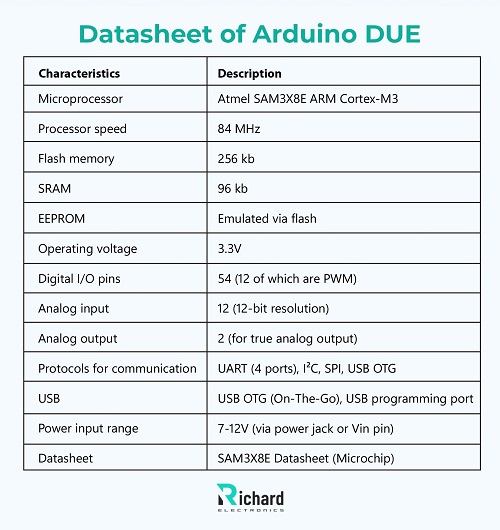
Characteristics | Description |
Microprocessor | Atmel SAM3X8E ARM Cortex-M3 |
Processor speed | 84 MHz |
Flash memory | 256 kb |
SRAM | 96 kb |
EEPROM | Emulated via flash |
Operating voltage | 3.3V |
Digital I/O pins | 54 (12 of which are PWM) |
Analog input | 12 (12-bit resolution) |
Analog output | 2 (for true analog output) |
Protocols for communication | UART (4 ports), I²C, SPI, USB OTG |
USB | USB OTG (On-The-Go), USB programming port |
Power input range | 7-12V (via power jack or Vin pin) |
Datasheet | SAM3X8E Datasheet (Microchip) |
Arduino DUE Pinout:
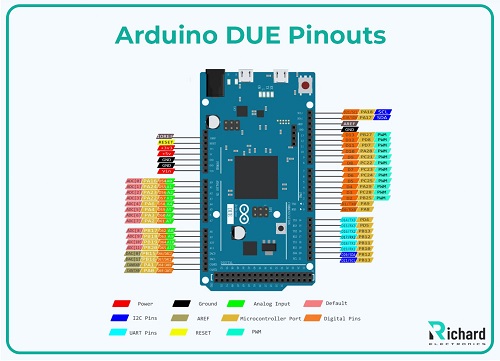
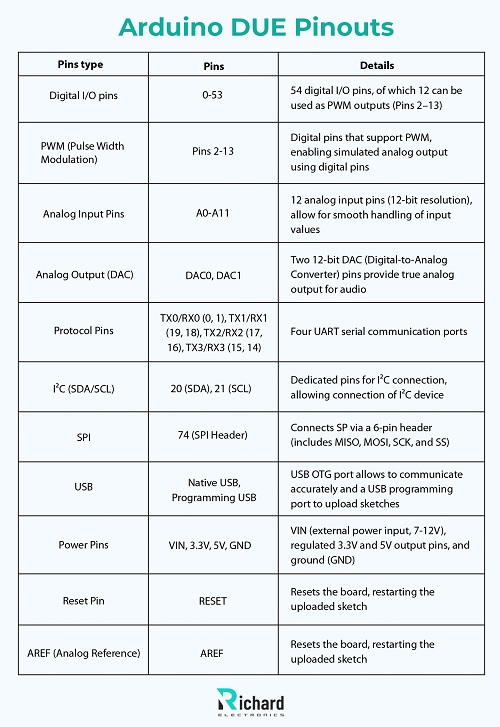
Pins type | Pins | Details |
Digital I/O pins | 0-53 | 54 digital I/O pins, of which 12 can be used as PWM outputs (Pins 2–13) |
PWM (Pulse Width Modulation) | Pins 2-13 | Digital pins that support PWM, enabling simulated analog output using digital pins |
Analog Input Pins | A0-A11 | 12 analog input pins (12-bit resolution), allow for smooth handling of input values |
Analog Output (DAC) | DAC0, DAC1 | Two 12-bit DAC (Digital-to-Analog Converter) pins provide true analog output for audio |
Protocol Pins | TX0/RX0 (0, 1), TX1/RX1 (19, 18), TX2/RX2 (17, 16), TX3/RX3 (15, 14) | Four UART serial communication ports |
I²C (SDA/SCL) | 20 (SDA), 21 (SCL) | Dedicated pins for I²C connection, allowing connection of I²C device |
SPI | 74 (SPI Header) | Connects SP via a 6-pin header (includes MISO, MOSI, SCK, and SS) |
USB | Native USB, Programming USB | USB OTG port allows to communicate accurately and a USB programming port to upload sketches |
Power Pins | VIN, 3.3V, 5V, GND | VIN (external power input, 7-12V), regulated 3.3V and 5V output pins, and ground (GND) |
Reset Pin | RESET | Resets the board, restarting the uploaded sketch |
AREF (Analog Reference) | AREF | Resets the board, restarting the uploaded sketch |
Digital I/O pins:
It has 53 I/O pins(0-52), out of which 12 pins support PWM. It allows pins to give stimulated analog output, used for controlling motor speed, light brightening, and many other projects.
Analog inputs:
It has 12 analog input pins that allow it to give more accurate readings than the other of the Arduino boards. It is ideal for high-precision data projects like environmental research and professional projects.
Analog outputs:
It has 2 DAC pins that allow it to generate analog output.
Pins to communicate:
These pins are the following:
UART:
UART(TX/RX) has 4 pairs of pins (Pins 0/1, 19/18, 17/16, 15/14).
I²C:
These pins include SDA (Pin 20), and SCL (Pin 21).
SPI:
It is positioned on the 6-pin SPI header (MISO, MOSI, SCK, SS).
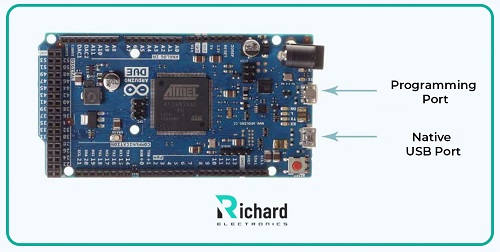
USB ports
Native USB:
It acts as a USB OTG (On-The-Go) port.
Programming USB:
It is used to upload code on the board using Arduino IDE.
Power pins:
Power pins include external power input pins (7-12), 3.3V, 5V, and GND.
Other pins:
Other important pins are RESET and AREF.
Features of Arduino DUE:
Arduino DUE has unique and complex properties that make it unique from other ordinary boards of the Arduino family. These specifications are mentioned below.
Processor:
DUE is based on the ARM Cortex-M3 core process to process 8-bit data. It is used for faster mathematical operations and higher precision. This is crucial for projects that require high processing power to handle data and complex mathematical programs.
ARM Cortex-M3 is designed to consume low power but it is powerful enough to operate complex and difficult tasks with high accuracy and high speed to process data.
Memory:
Its memory is vast enough to store and operate complex tasks. Its memory is split into three parts, which are mentioned below.
Flash memory:
Arduino DUE has 256 KB flash memory. It is sufficient to store large programs and complex coding. It is non-volatile and keeps data in it when the board is powered off. This also allows DUE to provide vast space for libraries.
It is ideal in large projects like real-time data processing, robotic systems for controlling, and embedded applications..
SRAM:
DUE has 96 KB of Static Random Access Memory. During the program execution, it allows to storage of variables, arrays, storage of data temporarily, and buffers. SRAM is volatile and loses data when the board is powered off.
It allows DUE to handle multiple active variables and run real-time calculations in the absence of memory constraints. It also manages large and multiplex applications and programs.
EEPROM:
Arduino DUE has emulated EEPROM which stores non-volatile data. EEPROM is emulated through flash, limiting the write cycles of flash memory. Users add the EEPROM module from outside.

Memory type | Size |
Flash memory | 256 kb |
SRAM | 96 of KB |
EEPROM | NONE |
External EEPROM | Optional |
Voltage:
Arduino DUE requires 3.3V to operate the board while other boards of the Arduino family operate at 5V. This feature makes them compatible with modern devices and sensor modules that operate at 3.3V. If a user connects 5V directly to the DUE in the absence of level shifting then this may damage the board.
Variety of I/O pins:
Digital I/O pins:
Arduino DUE has 54 I/O pins. 12 pins support PWM (Pulse Width Modulation). PWM allows them to generate stimulated analog output. It is used in projects like motor speed and LED dimming.
Analog input:
It has 12 input pins (A0-A11). Each input pin has a 12-bit resolution for high precision. It is crucial in operations that require highly accurate readings such as environmental research, scientific projects, and sensors.
Analog output:
DUE has two analog output pins (DAC0 and DAC1) with 12-bit resolution. They can output real analog output. They are crucial in operations such as audio processing, and waveform formation. They are used in projects that require smooth analog output.
High precision:
Arduino DUE has 12 analog input pins with 12-bit resolution. Due to its high resolution, Arduino gives high-precision output. This allows DUE to detect more accurate and accurate readings from sensors. Arduino is used in projects that require highly accurate data with exact calculations, such as environmental monitoring, scientific experiments, and signal processing.
Arduino DUE IDE and Simulation:
Arduino IDE:
It is for beginners and expert users. This allows for writing, compiling, and uploading straightforwardly.
Features:
Code Editor:
It provides a simple editor for writing code in C/C++.
Library manager:
IDE provides built-in library management.
Serial Monitor:
It allows real-time data communication that is useful for debugging.
Examples and tutorials:
It comes with sketches and tutorials that allow beginners to use it easily. It contains examples of communication protocols and sensors, that are helpful for users.
Set up for Arduino DUE:
● Go to Arduino’s official website and install Arduino IDE.
● Open IDE, select Tools > Board and click Arduino DUE from the list.
● Via USB connect your Arduino DUE and select the correct port which is either the Native USB port or the Programming port.
● .After this write your code.
● Click upload to compile.
● Send it to the DUE.
Pros:
● It is ideal for beginners due to its straightforward interface.
● It provides a wide range of community support and available libraries.
● It can easily work on Windows, macOS, and Linux.
Cons:
● Contains limited debugging tools
● It lacks advanced features.
● It has no auto-complete or code suggestion.

Simulation for Arduino DUE:
Simulating Arduino DUE enables code testing and testing of circuits for different projects. It allows the making of test and troubleshooting complex designs easier. It reduces the need for physical components. ARM Cortex-M3-based Due simulation is more specialized while other boards don’t offer this unique and different feature.
Proteus Design Suite:
It is a significant high-circuit tool. It supports DUE and all other boards of the Arduino family. Proteus is widely used in the engineering field to stimulate analog and digital signals and codes for microprocessors.
Features:
● Proteus allows users to design detailed circuits. It offers a realistic view of the circuit because it enables the user to design both the software and hardware of the project.
● It provides the full simulation of Arduino DUE.
● It allows interactive debugging such as setting breakpoints and inspecting variables.
● Proteus provides a comprehensive and extensive library of digital and analog components including sensors, motors, and displays.
How to use:
● Download Proteus and create a new project.
● Select DUE from the library and add it to the schematic.
● In the virtual schematic connect components
● Import code from IDE or write within the Proteus.
● Tets code and circuit by running the simulation.
Pros:
● It has extensive liberty
● It contains specific and unique debugging tools.
● It provides accurate simulation for complex projects.
● It is ideal for prototyping and professional use.
Cons:
● It is paid software and may add restrictions for some users. It is not accessible to everyone.
● Beginners must learn curves to design virtual circuits for complex projects.
Applications of Arduino DUE:
Arduino DUE has a high-power microprocessor that allows precision and accuracy with complex functionality. Arduino DUE has high applications because of its unique features. These applications are mentioned below.
Robotics and Automation:
It has wide applications where control of multiple components and real-time processing in robotics and automation like robotic arms, autonomous vehicles, and industrial automation systems.
IoT Projects:
DUE can handle multiple communication protocols for IoT projects to collect and process data from various sensors.
It has high applications in environmental monitoring systems and small home setups as a central controller. DUE is used to connect devices for real-time data analytics and cloud integration.
Scientific and Environmental Research:
DUE has wide applications in biological labs and research for analysis and precise data logging. It is also used in physics for experiments. Home Automation
It is commonly used in home automation applications HAC, security, light control, and integration of sensors and actuators for automated home environments.
Audio Processing:
DUE is commonly used in audio applications like sound synthesis, audio effects, and digital music instruments.
Conclusion:
In the Arduino ecosystem, Arduino DUE is a versatile and powerful microcontroller board with 32-bit ARM Cortex- M3, a high-power microprocessor 32-bit ARM Cortex-M3. It works with 9 V of battery. It has high memory for processing and storing complex programs. It efficiently runs complex coding with high precision. Arduino DUE is ideal for applications that require high-power resolution such as environmental monitoring, scientific research, robotics, IoT, home automation, and industrial automation. It bridges the gap between beginner to advanced-level complex projects.
Arduino DUE has many features but they have some limitations, it consumes very high power and complexity can't make it ideal to use in simple projects. By understanding to reading this article the reader can understand the complexity and sturdy hallmarks of Arduino DUE crucially and be able to use it in many different projects efficiently.
 Sophie
Sophie, an accomplished electronic designer from Canada, holds a Bachelor's degree in Electrical Engineering from McGill University. She excels in developing advanced control systems that integrate mechanical, electrical, and computer engineering technologies. Her expertise particularly lies in working with electronic components. Notably, she has distinguished herself in conducting research involving Arduino and Raspberry Pi.


04 September 2026
05 August 2026
04 July 2026
06 June 2026
07 May 2026