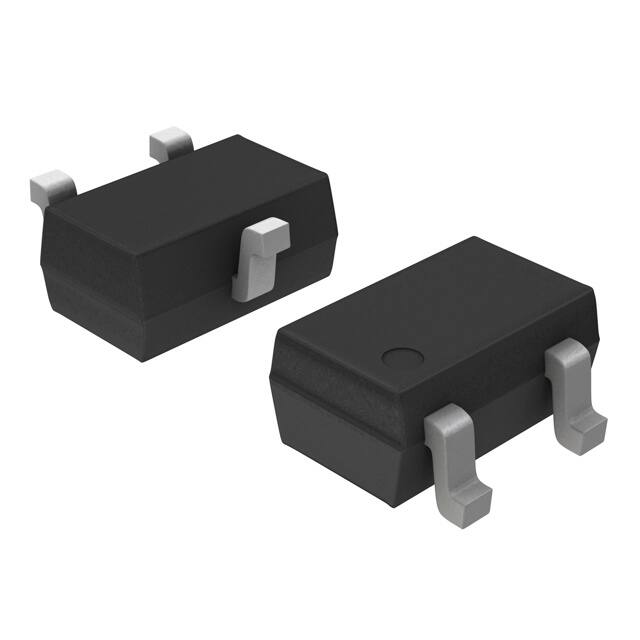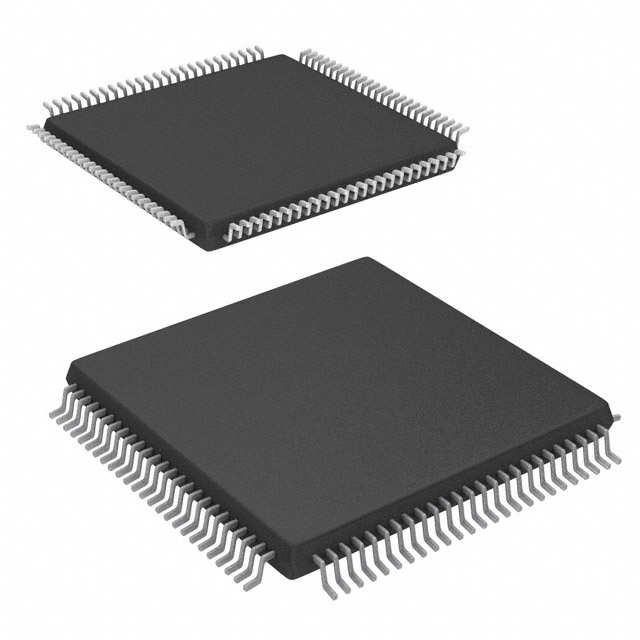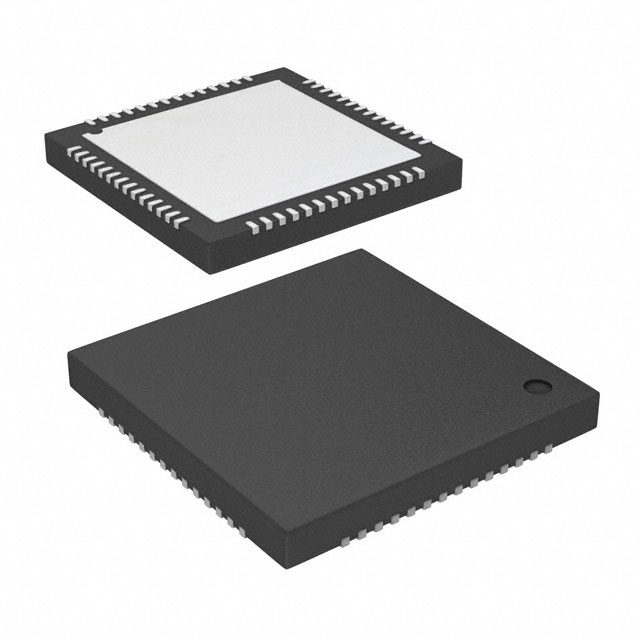
Arduino Zero comprises the microprocessor board ATSAMD21G18 with 32-bit processing power and ARM CORTEX M0+. It works efficiently in complex and real-life applications, expanding their potential use. Due to its ARM CORTEX M0+ architecture, they are used in complex creative applications and programming. It is advanced in the Arduino family; it still offers simplicity and accessibility to the Arduino family with more processing speed and memory.
Arduino Zero was released in 2015. It provides the best platform for intermediate to expert users to improve their projects with high computational power, precision in analog readings, real-time responsiveness, and debugging.
In this article, we cover its specifications, features, applications, setup, and comparison with other boards of the Arduino family. Let's dive into the topic.

Features of Arduino Zero:
Arduino Zero is powerful and has unique specifications that make it different from other boards of the Arduino family. These specifications are mentioned below.
Processor and clock speed:
Arduino Zero is based on the Atmel SAMD21 microcontroller and features an ARM CORTEX-M0+ core. It has a significant improvement in clock speed as zero runs at 48MHz while 8-bit Atmega-based Arduino boards like Uno or Mega run at 16MHz. Zero provides several advantages:
● They have greater computational power. So they can handle complex algorithms, data processions, and multitasking.
● They are highly efficient in executing tasks faster and use power more efficiently.
● They are ideal because of advanced instructions in 32-bit architecture. They perform tasks like sensor fusion, mathematical processing, and signal generation.
Memory:
They have complex and sophisticated memory structures to perform complex tasks. Let's see the components of memory.
Flash memory:
Arduino Zero uses 256 KB of flash memory, for writing and storing large programs. Its flash memory is nonvolatile, keeping data preserved after powering off. It is highly beneficial to handle data-heavy applications.
SRAM:
It contains 32 KB SRAM. It is used to store data temporarily while performing different calculations. It is ideal for applications that need to handle dynamic data because it allows larger variable arrays and more robust data manipulation. Moreover, it is more efficient in real-time sensor data processing.
EPROM emulation:
Zeros emulate up to 16 KB. They emulate EEPROM functionality in Flash instead of physical EEPROM.

Memory | Range |
Flash memory | 256 KB |
SRAM | 48 KB |
EEPROM | Upto 16 KB |
Operation Voltage:
Ordinary Arduino boards need 5V to function while Arduino Zero operates at 3.3V. Their low voltage operating property makes them beneficial to interface components sensitive to high voltages. Zeros are energy efficient.
Input voltage range:
Zero can be powered on a voltage supply between 7-12V. For the functioning of the microcontroller, has an onboard regulator to step down the voltage to 3.3V.

Datasheet of Arduino Zero:
Download the Arduino Zero Datasheet
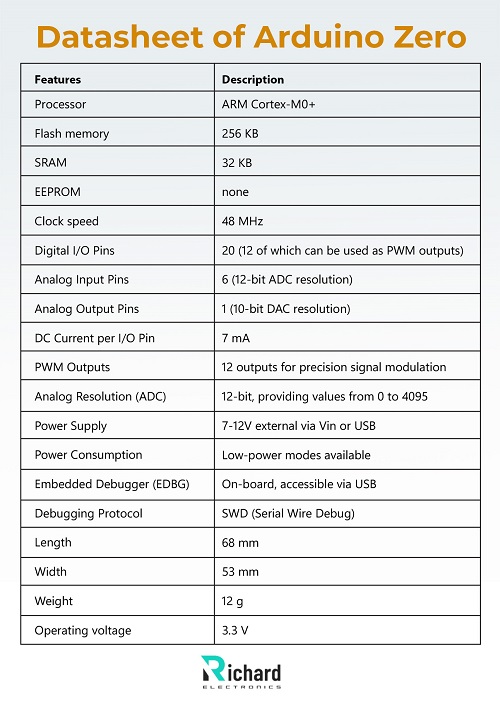
Features | Description |
Processor | ARM Cortex-M0+ |
Flash memory | 256 KB |
SRAM | 32 KB |
EEPROM | none |
Clock speed | 48 MHz |
Digital I/O Pins | 20 (12 of which can be used as PWM outputs) |
Analog Input Pins | 6 (12-bit ADC resolution) |
Analog Output Pins | 1 (10-bit DAC resolution) |
DC Current per I/O Pin | 7 mA |
PWM Outputs | 12 outputs for precision signal modulation |
Analog Resolution (ADC) | 12-bit, providing values from 0 to 4095 |
Power Supply | 7-12V external via Vin or USB |
Power Consumption | Low-power modes available |
Embedded Debugger (EDBG) | On-board, accessible via USB |
Debugging Protocol | SWD (Serial Wire Debug) |
Length | 68 mm |
Width | 53 mm |
Weight | 12 g |
Operating voltage | 3.3 V |

Arduino Zero Pinout:
Digital and Analog I/O:
Digital Pins:
Arduino Zero has 20 input/ output pins which makes it suitable for more complex projects. Out of these 12 pins support PWM ( Pulse Width Modulation). It allows for fine-tuning and controlling devices like dimming lights and motor speed.
Analog I/O Pins:
Analog input:
Arduino has 6 input pins, each connected to an 8-bit ADC. So it provides resolution up to 4096 levels while ordinary Arduino boards provide only 1024 levels of resolution. Due to high resolution, they provide precise reading instead of 10-bit ADC.
Analog output:
Zero has only one output pin connected to 10-DAC. This DAC makes them ideal for the application that needs smooth and continuous voltage output like in waveform synthesis and generation of audio.

Pins | Type | Description |
Digital | Pins 0-13 | Digital I/O general-purpose pins with PWM support |
Analog | A0-A5 | Analog input pins |
Power | 3.3 V | Output voltage |
5V | Output voltage, connected to USB or external power source | |
GND | 2 available ground pins | |
Special | AREF | Reference voltage for analog inputs. |
Reset | Reset microcontroller | |
DACO | 10-bit Digital-to-Analog Converter (DAC) output. | |
SPI | MOSI D11 | Master Out Slave In for SPI communication. |
MISO D12 | Master In Slave Out for SPI communication. | |
SCK D13 | Serial Clock for SPI communication. | |
12C | SDA D20 | Serial Data for I2C communication. |
SCL D21 | Serial Clock for I2C communication. | |
UART | TX D0 | Transmit pin for serial communication. |
RX D1 | Receive pin for serial communication. | |
Other | SWD | SWD debugging pins for ARM Cortex-M0. |
Native USB | USB port for programming and serial communication. |
Communication interfaces:
Arduino Zero offers versatile communication protocols.
IC(Inter-Integrated Circuit):
It allows multiple sensors to communicate on a two-wire bus. It is used to connect Arduino Zero with temperature sensors, accelerometers, and OLED displays.
SPI(Serial Peripheral Interface):
It is used for high-speed data exchange because it is a faster and full duplex communication protocol. It is used in high-speed application devices like SD cards and RFID readers.
UART(Universal Asynchronous Receiver-Transmitter):
It is used for direct communication with other devices and microcontrollers. It is standard for serial communication. It connects the Bluetooth module and GPS module to the computer.
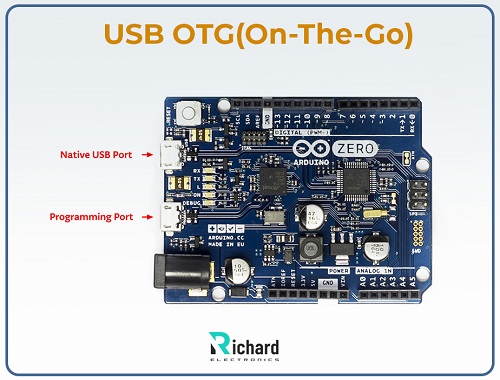
USB OTG(On-The-Go):
USB OTG enabled Arduino Zero to act as both a USB host and a USB device. It allows it to connect directly with USB devices like a keyboard, or mouse.
SWD Debugging Port:
It provides a means for real-life debugging. It makes zeros suitable for complex projects, allowing developers to step through code execution and set variables. It also inspects variables in real-time.
IDE and Simulation:
IDE of Arduino Zero:
This IDE is commonly used for library support and straightforward interference. It is the simplest IDE among all the boards of the Arduino family so it is best suited for beginners. Arduino Zero IDE lacks advanced debugging features
PlatformIO:
It is ideal for complex applications that need detailed debugging capabilities.it is an advanced platform that allows users to perform operations like task automation, comprehensive debugging, and better project organization.
SimulIDE:
It is used to test simple circuits. For Arduino projects, it stimulates real-time electronics
Proteus:
Proteus is a specialized and unique stimulator that supports Arduino Zero’s ARM SAMD21 processor. It allows users to test both circuits and microcontroller coding. It is best suitable for complex projects to perform functions with high accuracy.
Advantages of Arduino Zero:
The advantages of Arduino Zero are the following:
Enhanced processing power:
The processing power of zeros is enhanced so they can perform complex functions like programming, coding, and processing, which cannot be performed by ordinary 8-bit Arduino boards. Their ARM CORTEX-M0+ at 48 MHz makes them ideal for fast-speed applications that require a high level of processing, data-heavy sensor networks, real-time audio processing, and advanced control algorithms in robotics. This property of Arduino Zero makes them perform smoothly and even faster.
High precision Input:
The 12-bit ADC offers high resolution which means more precise readings for output. It is used in applications where reading fluctuates to get a precise reading. It is used in environmental monitoring and scientific instrumentation.
Analog output:
The connection of a 10-bit DAC with zero allows it to give smooth and continuous output. It is used in applications that require analog signal modulation like in audio synthesis and waveform generation.
Ample memory:
Arduino Zero has 256 KB of flash memory and 36 KB of SRAM which makes it ideal for applications that store large amounts of data and process complex coding. This SRAM allows it to store large data for variables, arrays, and buffers which are useful in processing data and to run advanced control algorithms.
EEPROM is also emulated in flash memory of zero. It allows for 16 KB of non-volatile storage. It is used to save data between power cycles.
USB OTG Support:
It broadens its physical applications. It allows USB devices to connect directly to Arduino Zero, like keyboards, mice, and storage drives. When it is connected to a computer Arduino starts behaving like a USB. It facilitates firmware updates and data transfer. Arduino along with USB OTG is a good choice for applications that have direct communication with USB-enabled devices like user interfaces, data logging systems, and portable media devices.
Compatibility:
Arduini Zero is a powerful device but it is simple like other boards of the Arduino family. It is compatible with many existing libraries and shiels and can be easily integrated into projects. The voltage compatibility makes projects simple and reduces the consumption of power.
Low voltage operation:
Zero requires only 3.3V to operate while other boards of the family operate at 5V. This specification makes it ideal for high-voltage sensitive devices. This makes them power efficient by reducing the use of power. This property allows them to operate on battery.
Ideal for IoT Applications:
As they offer high power processing, and communication options along with low consumption of voltage they are ideal for IoT(Internet of Things) projects, where they can perform efficiently.
Real-time debugging support:
SWD(Single Wire Debug) port is a unique feature of zero, providing real-time debugging capabilities. With the help of this port, a user can monitor variables, set breakpoints, and step through code as it processes on a microcontroller. For complex projects, this real-time debugging is essential, because during execution it helps to identify and resolve issues immediately. This unique feature reduces troubleshooting time and enhances its efficiency. This makes zeros ideal for professional and advanced projects.
Environmental and Scientific monitoring:
They are used in scientific monitoring because they offer high resolution. They are used to get accurate output in temperature monitoring, and air pressure detection.
They are also used in soil nutrient sensors to check the condition of soil with accurate output so that it can recover for better fertilization.
Applications of Arduino Zero:
The powerful Arduino Zero with ARM Cortex-M0+ processor and all its unique specifications are ideal in many fields. As it handles complex programming and coding and stores complex data, they have a greater number of applications in industries, households, and labs. Some of the applications are mentioned below.
Home automation systems:
They are used in home automation systems because of versatile I/O pins and high-speed processors. They are integrated into motion detectors, light sensors, and actuators. They are efficient in controlling home security alarm systems.
Robotics:
They are used in robotics applications because of PWM support and fast processing which makes them ideal for controlling motors, robotic arms, servos, and automated vehicles. The real-time debugging in the SWD port, allows the sensor to respond for reliable control.
Wearable technology and portable devices:
They are ideal for wearable technology because of their less power consumption feature and compact size. It can be used in devices where precise and accurate readings are necessary like health monitoring devices, trackers, and portable measurement systems.
Audio processing and sound synthesis:
They are used in sound synthesis and audio processing projects because of their high-resolution 12-bit ADC and 10-bit DAC. Zero’s DAC generates smooth analog signals that are ideal for audio effects and sound experimental devices. In synthesizers, they are used to generate waveforms.
Educational and advanced learning:
They are highly valuable in education. Students use complex algorithms in experiments with advanced electronic concepts and complex programming. Arduino Zero helps students learn the concepts of real-time systems, sensor integration, and IoT development.
Health monitoring devices:
They are used in health monitoring devices because they give accurate readings of sensors. They are used in monitors to give accurate readings of heart rate, temperature, and other biological signals.
IoT:
Arduino Zero is essential in IoT(Internet of Things) applications. Zero is beneficial in smart agriculture, home automation, and industrial monitoring systems. It monitors environmental factors like temperature, humidity, air pressure, air quality, and soil quality.
Custom automation projects:
Zero is ideal for custom automation projects because of its digital and analog pins. It allows small-scale manufacturing and DIY projects. It provides a good platform for greenhouse monitoring, motor control, and lighting systems.
Arduini Zero is powerful and has a variety of applications yet it has some limitations that make it unsuitable for some projects. These limitations are mentioned below.
Conclusion:
Arduino Zero comprises the microprocessor board ATSAMD21G18 with 32-bit processing power and ARM CORTEX M0+. These features make Zeros powerful and efficient. They consume low voltages so become ideal for portable devices. Zero advanced features are used in industrial and professional projects with low voltage consumption. After reading and understanding this article the reader was able to use it in many different projects efficiently.
 Sophie
Sophie, an accomplished electronic designer from Canada, holds a Bachelor's degree in Electrical Engineering from McGill University. She excels in developing advanced control systems that integrate mechanical, electrical, and computer engineering technologies. Her expertise particularly lies in working with electronic components. Notably, she has distinguished herself in conducting research involving Arduino and Raspberry Pi.


04 September 2026
05 August 2026
04 July 2026

06 June 2026
07 May 2026