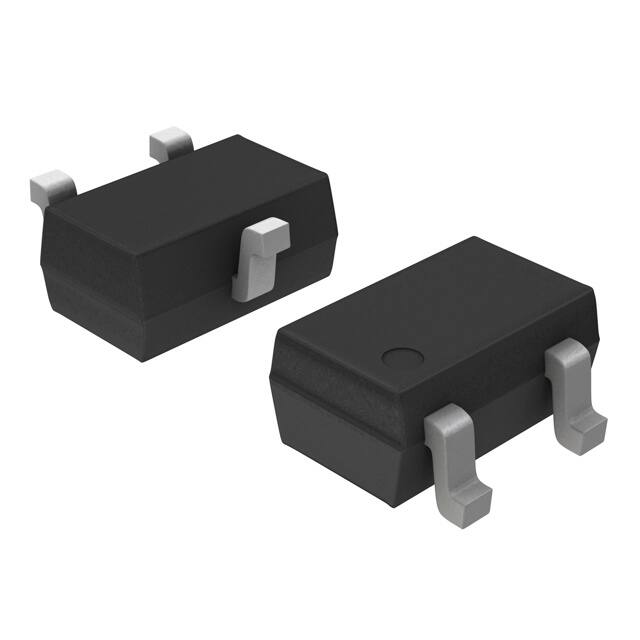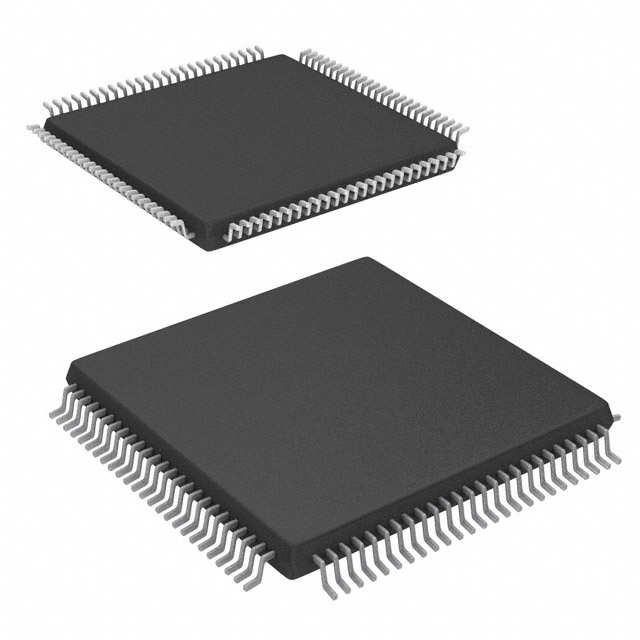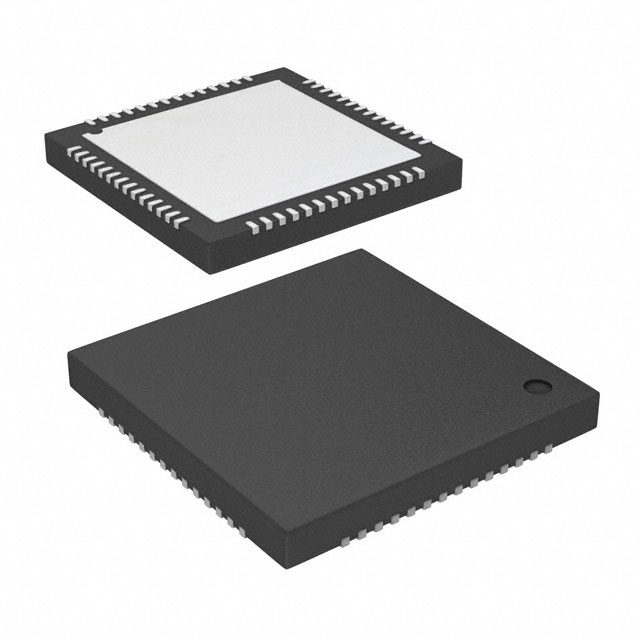
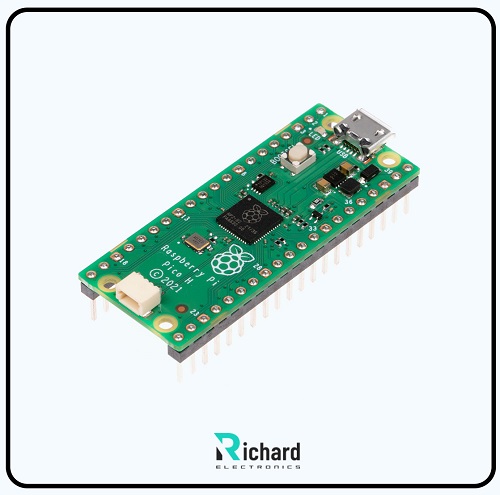
Other single-board Raspberry Pi series functioned as full-fledged computers but Pi Pico focuses on interfacing with hardware and handling real-time tasks efficiently. It is based on a custom RP2040 chip that makes Pico powerful and highly suitable for developers, students, and professionals.
It is a low-cost microboard that controls embedded systems and applications. Pico can handle multiple language programming. It is ideal for engineers to handle programming. It has variable input/output pins. Because of its advanced features and specifications, it is highly demanding in various fields like robotics, IoT, data logging, engineering, home automation, education, and creative projects.
Now, we start our detailed discussion about Raspberry Pi Pico, including its introduction, features, datasheet, pinout, applications, importance, IDE, and limitations.

Introduction:
● Raspberry Pi Pico is powered by an RP2040 microcontroller chip, specially designed to make it powerful for this board.
● It contains a dual-core Arm Cortex-M0+ processor which operates at the clock speed of 133MHz.
● It has an efficient memory of 264 KB SRAM and 2 MB flash storage.
● Pico board is cost-attractive and energy-efficient, suitable for portable projects.
● It can efficiently handle multiple-language programming, so it is ideal for developers, engineers, and hobbyists to handle applications.
● It contains 26 digital input/output pins, each with specific features.
● It is flexible for programming, and easily handled by beginners and professionals.
● It is compact, flexible, and used in a robust ecosystem.
Feature of Pi Pico:
Sturdy hallmarks of Raspberry Pi pico are given there:
RP2040 Microcontroller:
RP2040 is commonly considered Pico's brain. This chip has the following unique and powerful features.
Dual-Core Processing:
Raspberry Pi Pico is powered by an RP2020 microcontroller specially customized for this board. This chip contains an ARM Cortex-M0+ processor that works at a clock speed of 133MHz. It is a powerful board and performs efficiently.
The ARM Cortex-M0+ processor can perform multiple tasks simultaneously, making Pico ideal for multitasking submerged applications.
264 KB of SRAM:
It contains 264 KB SRAM. The larger value of SRAM indicates that it can handle complex programming and large data.
2 MB Flash Storage:
The RP2040 has 2 MB of onboard flash memory used for coding. It has fast memory and can store large, complex, embedded applications.
Pipelined Architecture:
This processor contains pipeline architecture, which is beneficial for smoothly executing commands and optimizing the board’s performance for real-time applications.
Power supply and consumption
Pico is significant because of its low power consumption. It requires 1.8V to 5.5V to operate while other Pi boards constantly require 5V for their smooth working. It is best suited for battery-powered and portable projects.
Low Power Modes:
It supports sleep mode. It allows Pico to work on lower power to extend its working period. This feature is significant in energy-efficient devices like remote sensors and wearable technology.
Power Input Options:
Pico can be powered externally using a Micro-USB Port and an external 5V power supply connected to a VSYS pin. Power options from external sources provide flexibility when a battery is incorporated.
Flexible Programming Options
Pico is designed to handle different language programming, so both beginners and advanced developers can easily use it.
MicroPython
It is ideal for beginners and rapid prototyping. It is a lightweight version of Python. It has many built-in libraries that provide access to GPIO, ADCs, PWM, and more.
C/C++:
C++ is best for advanced users. It offers the best control over hardware and is crucial for giving the best performance in critical applications.
USB Interface
Pi Pico is designed with a micro-USB port, allowing it to perform multiple functions.
● Power: delivers 5V power when attached to a USB charger or computer.
● Programming: uses USB to connect Pico to the computer and upload code through a drag-and-drop method. RP2040 allows it to act as a USB, mouse, and keyboard.
Digital I/O Pins
Raspberry Pi Pico has 26 general-purpose input/output pins, each specific for various purposes. These pins are designed to perform programs like digital I/O, PWM (Pulse Width Modulation), and ADC( analog-to-digital converter). This feature makes pico ideal for applications like motors, sensors, and other devices.
Analog Inputs
The RP2040 has 3 ADC channels, each with a 12-bit resolution. This allows it to read analog voltages from external devices like temperature sensors or potentiometers.
PWM
This board contains PWM outputs which are beneficial in generating audio signals and controlling motor speed.
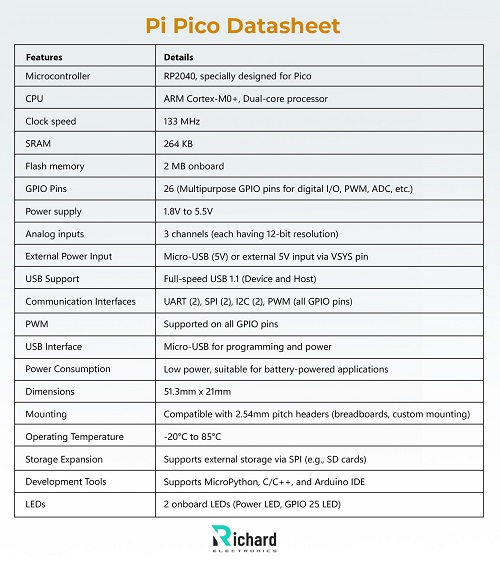
Pi Pico Datasheet:
Pi pico datasheet is given there:
Features | Details |
Microcontroller | RP2040, specially designed for Pico |
CPU | ARM Cortex-M0+, Dual-core processor |
Clock speed | 133 MHz |
SRAM | 264 KB |
Flash memory | 2 MB onboard |
GPIO Pins | 26 (Multipurpose GPIO pins for digital I/O, PWM, ADC, etc.) |
Power supply | 1.8V to 5.5V |
Analog inputs | 3 channels (each having 12-bit resolution) |
External Power Input | Micro-USB (5V) or external 5V input via VSYS pin |
USB Support | Full-speed USB 1.1 (Device and Host) |
Communication Interfaces | UART (2), SPI (2), I2C (2), PWM (all GPIO pins) |
PWM | Supported on all GPIO pins |
USB Interface | Micro-USB for programming and power |
Power Consumption | Low power, suitable for battery-powered applications |
Dimensions | 51.3mm x 21mm |
Mounting | Compatible with 2.54mm pitch headers (breadboards, custom mounting) |
Operating Temperature | -20°C to 85°C |
Storage Expansion | Supports external storage via SPI (e.g., SD cards) |
Development Tools | Supports MicroPython, C/C++, and Arduino IDE |
LEDs | 2 onboard LEDs (Power LED, GPIO 25 LED) |
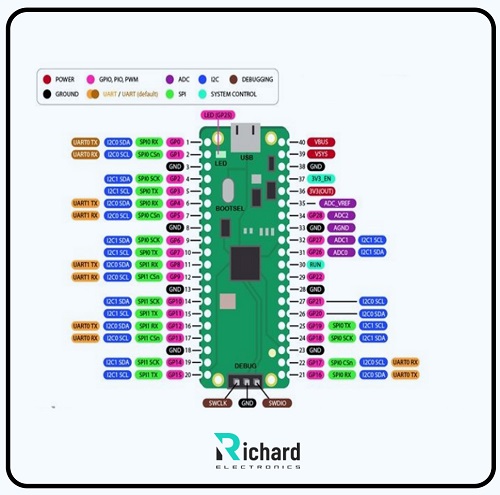
Pi Pico Pinouts:

Pins | Pins name | Function | Description |
1 | GP0 | GPIO, PWM, ADC, UART0 TX | A Digital input/output pin can be used for PWM, ADC, UART, etc. |
2 | GP1 | GPIO, PWM, ADC, UART0 TX | A Digital I/O pin can be used for PWM, ADC, UART, etc. |
3 | GP2 | GPIO, PWM, SPI0 SCK | GPIO, PWM, SPI0 SCK |
4 | GP3 | GPIO, PWM, SPI0 MOSI | GPIO, PWM, SPI0 SCK |
5 | GP4 | GPIO, PWM, SPI0 MOSI | GPIO, PWM, SPI0 SCK |
6 | GP5 | GPIO, PWM, SPI0 CS | GPIO, PWM, SPI0 SCK |
7 | GP6 | GPIO, ADC | A Digital input/output pin can be used for ADC. |
8 | GP7 | GPIO, ADC | A Digital input/output pin can be used for ADC. |
9 | GP8 | GPIO, I2C0 SDA | A Digital input/output pin can be used for I2C. |
10 | GP9 | GPIO, I2C0 SCL | A Digital input/output pin can be used for I2C. |
11 | GP10 | GPIO, PWM, SPI1 SCK | Digital input/output pins can be used for PWM, SPI, etc. |
12 | GP11 | GPIO, PWM, SPI1 MOSI | A Digital input/output pin can be used for PWM, SPI, etc. |
13 | GP 12 | GPIO, PWM, SPI1 MOSI | A Digital input/output pin can be used for PWM, SPI, etc. |
14 | GP 13 | GPIO, PWM, SPI1 CS | A Digital input/output pin can be used for PWM, SPI, etc. |
15 | GP 14 | GPIO, PWM, UART1 TX | A Digital input/output pin can be used for PWM, UART, etc. |
16 | GP 15 | GPIO, PWM, UART1 RX | A Digital input/output pin can be used for PWM, UART, etc. |
17 | GP 16 | GPIO, PWM | Digital input/output pins can be used for PWM. |
18 | GP17 | GPIO, PWM | A Digital input/output pin can be used for PWM. |
19 | GP18 | GPIO, PWM | A Digital input/output pin can be used for PWM. |
20 | GP19 | GPIO, PWM | A Digital input/output I/O pin can be used for PWM. |
21 | GP20 | GPIO, I2C1 SDA | A Digital input/output pin can be used for I2C. |
22 | GP21 | GPIO, I2C1 SCL | A Digital input/output pin can be used for I2C. |
23 | GP22 | GPIO, ADC | A Digital input/output pin can be used for ADC. |
24 | GP23 | GPIO, ADC | A Digital input/output pin can be used for ADC. |
25 | GP24 | GPIO, PWM | A Digital input/output pin can be used for PWM. |
26 | GP25 | GPIO, Built-in LED | A digital input/output pin is used as the onboard LED. |
Pi Pico Pin Features:
Raspberry Pi Pico has a 40-pin header and contains 26 GPIO pins with significant features to perform various tasks, including digital I/O, PWM, and ADC. These pins are used in embedded applications like motors, sensors, and electronic components.
The key functions of pins are mentioned below:
GPIO Pins:
Digital I/O pins are used to control devices like LEDs and switches.
PWM (Pulse Width Modulation):
Some pins offer a PWM function, best suited for controlling motor speeds or adjusting LED brightness.
ADC (Analog-to-Digital Conversion):
Pico contains 3 ADC pins used in sensors for reading analog values. Each pin has a 64-bit resolution.
Communication Interfaces:
This board contains SPI, I2C, and UART protocols, which allow communication with external devices like sensors, displays, and microcontrollers.
Power and Ground Pins:
Pico requires 3.3V logic to operate smoothly. A micro USB port and VSYS pin are used to supply power externally.
Arduino IDE:
We can use Arduino IDE with it for programming and enhancing its capability with a sustainable Arduino ecosystem.

Language/IDE | Description | Best for |
MicroPython | Lightweight Python for microcontrollers. | Beginners and rapid prototyping. |
C++ | Low-level programming for hardware control. | Advanced users and performance tasks. |
Arduino IDE | Easy to use, IDE is compatible with Arduino. | Arduino users are transitioning to Pico. |
Applications of Pico:
Pico has versatile pins that allow it to perform various functions. Due to its significant features and unique specifications, it is ideal for many demanding applications. Some common applications of Pi Pico are mentioned below.
Embedded Systems Prototyping:
IoT Devices:
Pico has a compact size, flexible pins, and connectivity options using external Wifi and Bluetooth modules. These features make them ideal for efficient performance in IoT applications, including home devices, weather stations, and remote monitoring systems.
Wearable Technology:
Due to its small size and low power consumption, it can be easily adjusted in any wearable technology, such as fitness trackers, health monitoring devices, and other gadgets.
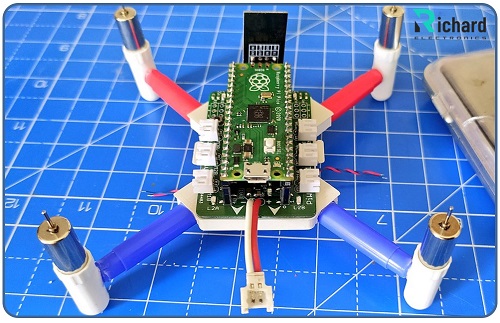
Robotics
● Motor control: Pico's PWM pins allow it to control motor speed and servos, making it ideal for the robotic industry.
● Sensor Integration: Communication protocols and ADC pins in Pico connect various sensors for obstacle detection, environmental sensing, or navigation.
Home Automation
Because of its unique and advanced features, Pico is used in home automated devices. It has various applications, including automated heating and air conditioning systems and dimmers.
Education and Learning
Pico offers different language programming, this significant feature makes it suitable for both beginners and advanced-level users. It is ideal for teaching C++ and Python to students.
Pico is the best platform for beginners to learn circuit design and programming.
Gaming and Entertainment
● Retro Gaming Consoles: It makes retro gaming systems that are low power-consuming.
● DIY Game Controllers: Its GPIO pins are highly beneficial in building custom gamepads or interactive controllers.
Personal Projects
● Custom Keyboards: Pico is used to design mechanical keyboards for programming.
● DIY Synthesizers: Pi Pico builds sound synthesizers using ADC and PWM.
Signal processing
Pico with its PWM pins is capable of generating custom signals. It controls and monitors real-time applications like balancing robots or automated machines.
Conclusion
Raspberry Pi Pico is a powerful microcontroller. It is highly affordable and flexible, making it ideal for demanding applications. Pico has an RP2040 microcontroller, dual-core processing, low power consumption, and extensive GPIO capabilities. It has multiple communication protocols like SPI, I2C, and UART, making it ideal for embedded systems, robotics, IoT, and more.
Its low power consumption made it suitable for portable devices like remorts, sensors, and wearable gadgets.
Pico offers programming in various languages so it is easily handled by beginners and experts. Beginners can easily learn Micro Python for programming. Its low power consumption makes it ideal for portable devices and wearable technology.
Due to its robust functionality, it is used for industrial automation, environmental monitoring, and educational purposes. It is used in prototyping, teaching C++ to students, and creating innovative projects.
Related Articles:
 Ling Tianhao
Ling Tianhao, with 20 years in R&D, has developed his skills at one of America's top ten chip manufacturers.His expertise goes beyond chip design and quality control, showing a strong understanding of PCB technology. His comprehensive knowledge of microchip and PCB technologies establishes him as a versatile professional in the semiconductor industry, driving advancements and solving complex problems.


04 September 2026
05 August 2026
04 July 2026
06 June 2026
07 May 2026